EcuLab
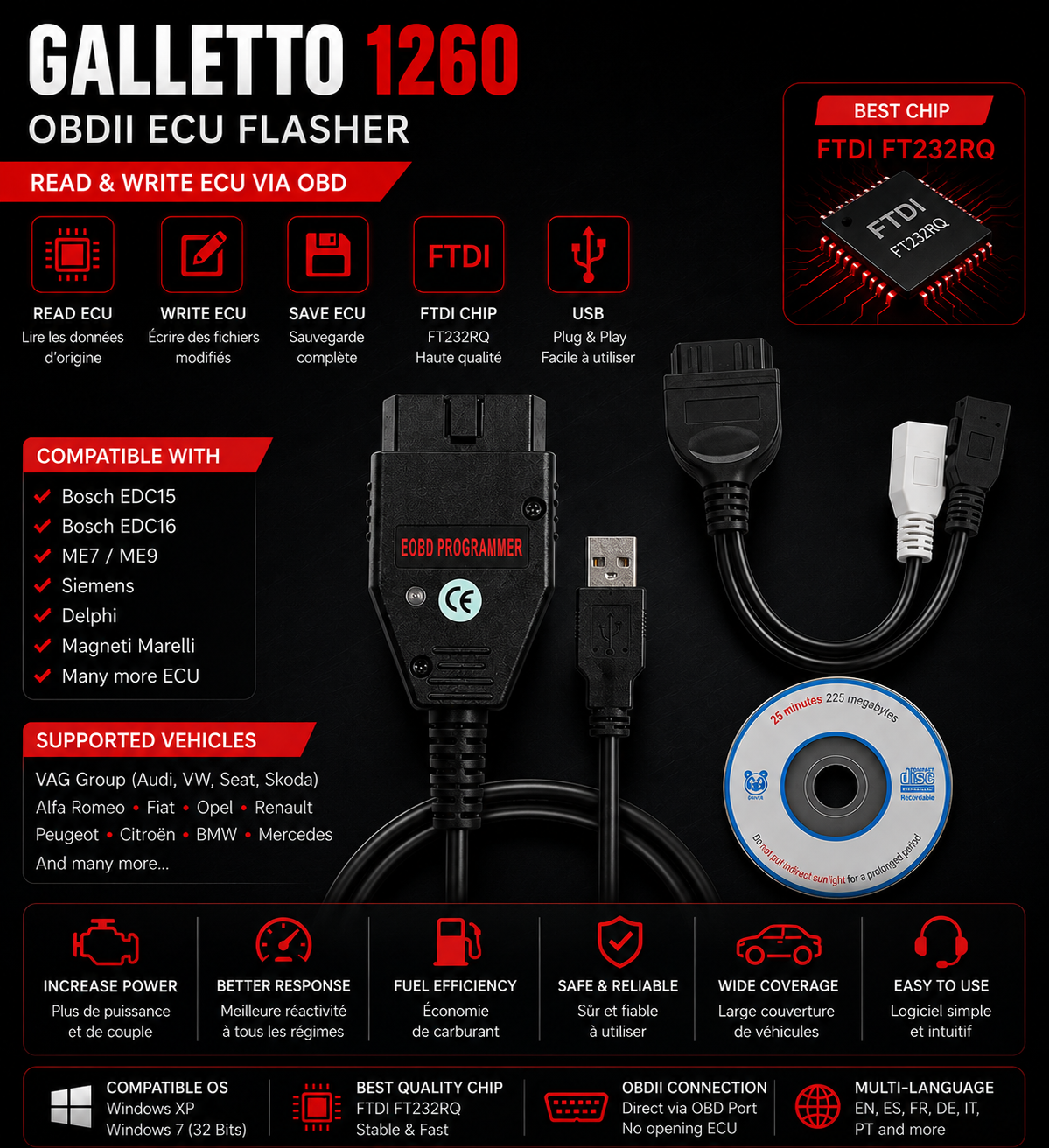
Galletto 1260 ECU Flashing Interface
Galletto 1260 ECU Flashing Interface
Couldn't load pickup availability
Galletto 1260 FT232RQ – OBDII ECU Flasher Interface
The Galletto 1260 is an ECU read and write interface via the OBD port, specially designed for engine remapping enthusiasts and automotive professionals. Thanks to its FTDI FT232RQ chip, it offers stable and reliable communication with many engine control units.
Ideal for reading original files, writing modified maps, and performing backup operations on many compatible petrol and diesel vehicles.
Main Features
✅ ECU Read via OBD
✅ ECU Write via OBD
✅ Backup of original files
✅ Flashing of compatible ECUs
✅ Fast and stable communication
✅ Simple user interface
ECU Compatibility
Compatible with many ECUs such as:
-
Bosch EDC15
-
Bosch EDC16
-
Bosch ME7 / ME9
-
Siemens
-
Delphi
-
Magneti Marelli
-
And many other OBD compatible ECUs
Vehicle Compatibility
Compatible with many European brands:
-
Audi
-
Volkswagen
-
Seat
-
Škoda
-
Alfa Romeo
-
Fiat
-
Opel
-
Renault
-
Peugeot
-
Citroën
-
BMW (compatible ECUs)
-
Mercedes-Benz (compatible ECUs)
-
And many other OBDII compatible vehicles
Features
-
USB to OBDII interface
-
High quality FTDI FT232RQ chip
-
Fast communication
-
Read and write via OBD
-
Windows compatible
Software Compatibility
-
Galletto 1260 Software
-
Compatible with BIN files
-
Works on Windows XP, Windows 7 (32-bit recommended)
-
Multilingual interface
Pack Content
The download includes:
-
Galletto 1260 Software
-
FTDI Drivers
-
Getting Started Documentation
-
Torrent file for fast download
The Torrent file is compatible with:
-
qBittorrent
-
BitTorrent
-
uTorrent
-
Deluge
-
Transmission
Just open the .torrent file with your favorite Torrent client to start the download.
Advantages
✔️ ECU reading and writing without opening the ECU
✔️ Backup of original files
✔️ Compatible with a large number of vehicles
✔️ Simple and intuitive interface
✔️ Excellent value for money
✔️ Ideal for beginners and professionals alike
Recommended Configuration
-
Windows XP or Windows 7 (32-bit recommended)
-
Available USB port
-
FTDI drivers installed
-
Vehicle battery correctly charged or stabilized power supply
Assistance
Assistance is available for software installation, interface configuration, and getting started if needed.
Important
⚠️ Before any reading or writing on an ECU, it is strongly recommended to check the Hardware (HW) and Software (SW) compatibility of the vehicle. A complete backup of the original file must be made before any modification. Any programming operation is performed under the sole responsibility of the user.
Partager